1. Once you create a zoom appointment, look to the top right for settings.
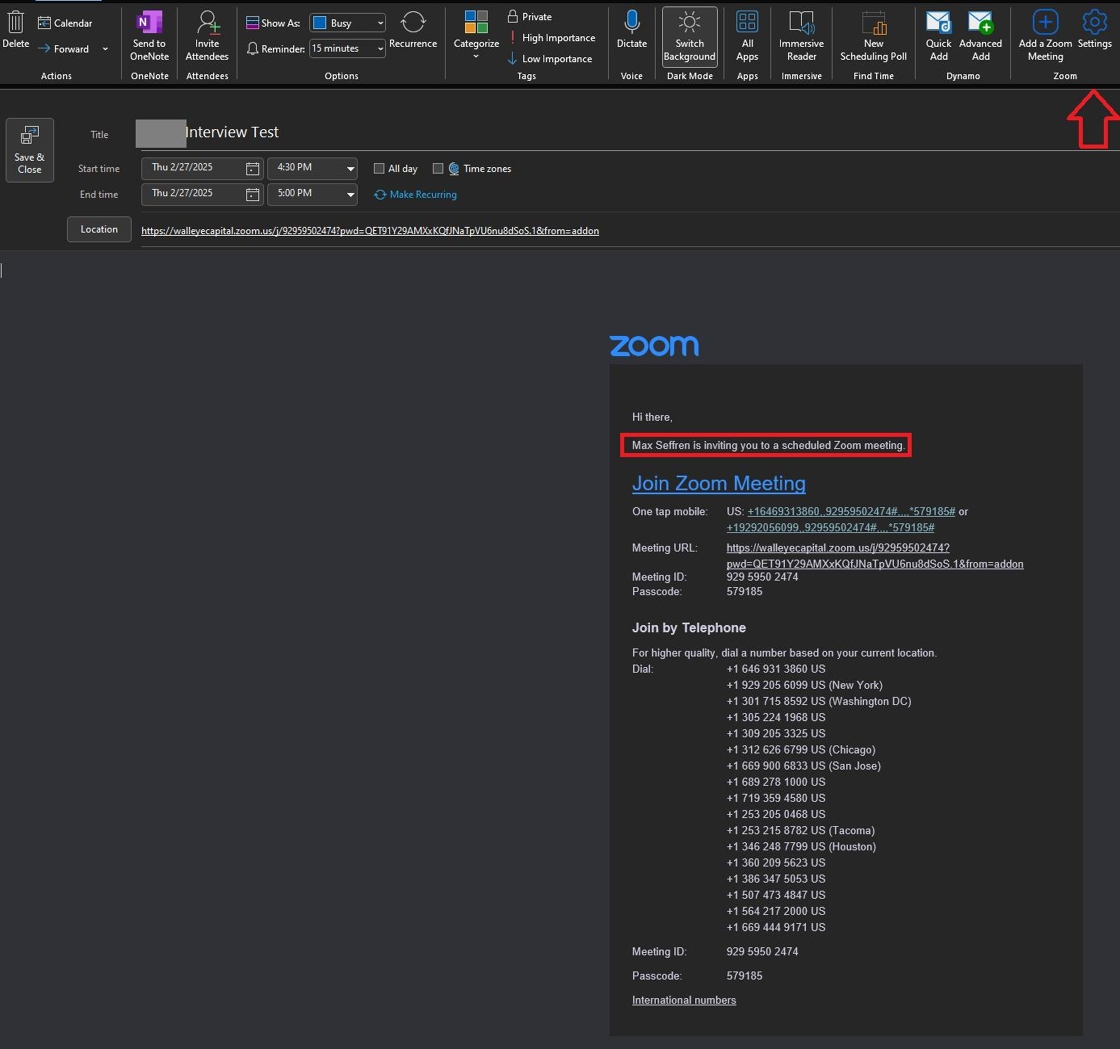
2. Click "Settings"

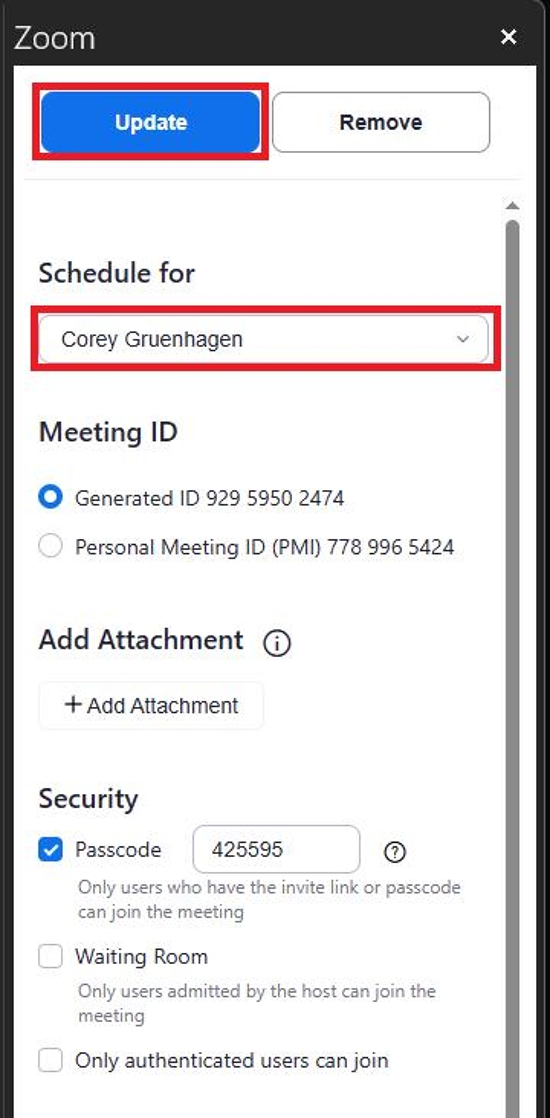
3. The menu will show "Myself" as the host. You want to change this to the user being scheduled for.

4. The user has now been changed and you must click "Update".
5. You will know this has worked when the invite name has changed.
