Hardware Assignment Policy
Due to supply issues, support and licensing costs, Walleye I.T. will generally only be providing employees with a single physical hardware computer.
If you almost always work remotely from home, this computer could be located physically at your location. There may be performance related reasons why this is not ideal though, mostly around remote file share access being slow when remote.
Otherwise, the hardware device would be located in a datacenter or an office location and if desired you can use your own personal home device to remote into your office computer and use it remotely.
For those that travel frequently back and forth to an office location; we generally recommend your computer be located in that office location and you remote into it while you are at a remote location. We are working on new solutions that would allow a better experience to remote into a computer at a home or remote location, but they are not ready for use at this time.
Suggested Home PC Configurations for those without a computer at home
If you do not have your own computer at home to remote into your office/datacenter-located computer you should purchase your own device for this purpose.
If you are uncertain what kind of device you should buy, we have provided some suggested configurations, below, for a few options depending on your need or preference. Please read through the options to see what might fit best for your use case.
These are only suggestions. The computer you purchase is yours and not Walleye property since Walleye does not pay for them. You may change the configurations listed as desired, or after some discussion with our Dell Sales Associate. You can also use these specifications to go to another computer store and buy something else on your own.
Walleye I.T. will not support an employee's home computer. We are happy to assist with getting a VPN setup up on the device so you can use it to remote into your office equipment. We also can field basic questions if you are having trouble but for any repair or advanced troubleshooting we will refer you to contact the computer manufacturer for support.
A few notes about the machine suggestions listed below. The prices in the quotes listed below are subject to change, the purpose of the quotes is to provide a guide in your discussion with the Dell Sales Representative in what specification to get based on your desires and needs. All of the quotes include Dell Pro Support which is an added cost, but does mean you get better service; including Dell sending someone to your home to fix any issues. You can also pay for an additional service from Dell to have them send a technician to help setup the computer, if you feel that you are not able to do so on your own.
Monitor Suggestions listed in these configurations are QHD / 2560x1440 - 27" monitors. We highly recommend going with monitors of this size and resolution as there are several issues with scaling on 4K or higher resolution monitors.
We have provided three different configuration options, listed below. Please review each of them to see which best fits your needs. You can make any changes you wish when talking to the Dell Rep. and we suggest asking them about timeframe on parts and supply, in case something is very backordered.
Dell Sales Representative
Bella Jones
Inside Account Manager
Dell Technologies | NA Commercial Sales
Office 512 513 9211
Isabella_Jones@Dell.com
MicroPC capable of a maximum of 3 Monitors
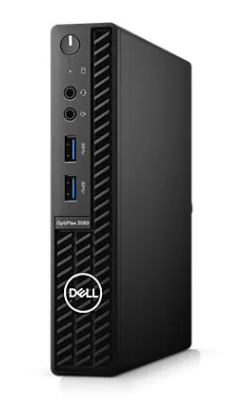
See attached PDF labeled "Default Home 3080 Micro Config - Max of 3 Monitors - listed here with 2 monitors.pdf" for the specification listing to hand to the Dell Sales Rep.
This PC has a smaller desktop footprint and is capable of supporting up to 3 Monitors. The quote referenced above includes 2 monitors but you can change the quote as desired.
This model is less expensive than the desktop that supports more monitors and is smaller.
Mid Sized Tower PC capable of a maximum of 8 monitors
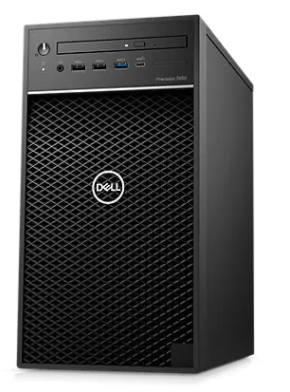
See attached PDF labeled "Default Home Tower Config - Max of 8 Monitors - listed here with 2 Monitors.pdf" for the specification listing to hand to the Dell Sales Rep.
This PC has 2 video cards and supports up to having 8 monitors. The quote referenced above includes 2 monitors but you can change the quote as desired.
Laptop PC capable of maximum of 3 monitors with a Docking Station
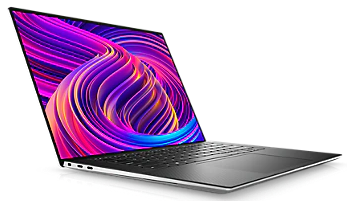
See attached PDF labeled "Default Home Laptop with Dock Config - Max of 3 Monitors - Listed here with 1 Monitor.pdf" for the specification listing to hand to the Dell Sales Rep.
This is a laptop computer so you can use it if you need to travel more. The quote referenced above includes 1 external monitor and a docking station but you can change the quote as desired.