Troubleshooting NetMotion Client
If you are having connectivity issues, first check the “mobility client” app by clicking the up arrow on taskbar.
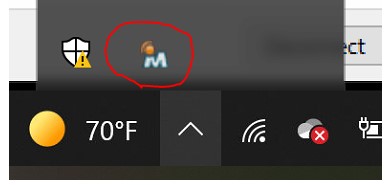
If the “Mobility Client” is orange, please disconnect and reconnect with instructions below:
Step 1
Click the Start Menu and search for “Mobility Client”
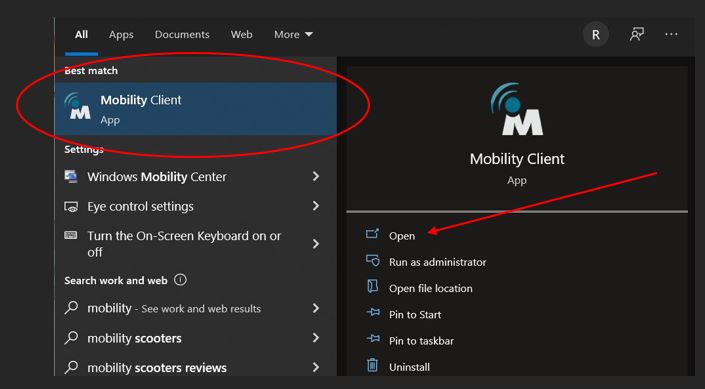
Step 2
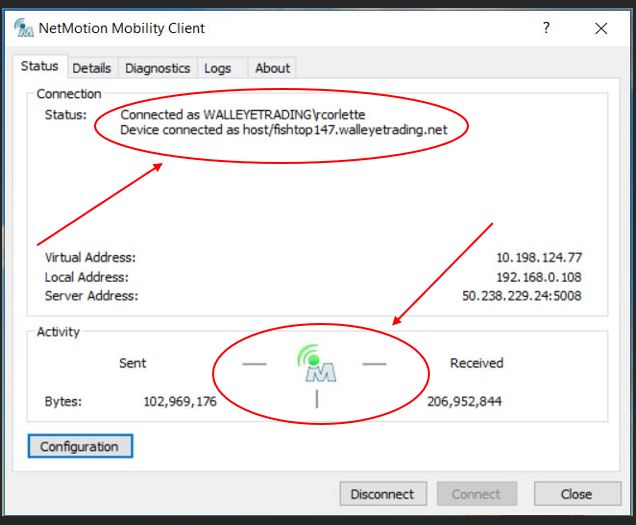
Click – Disconnect
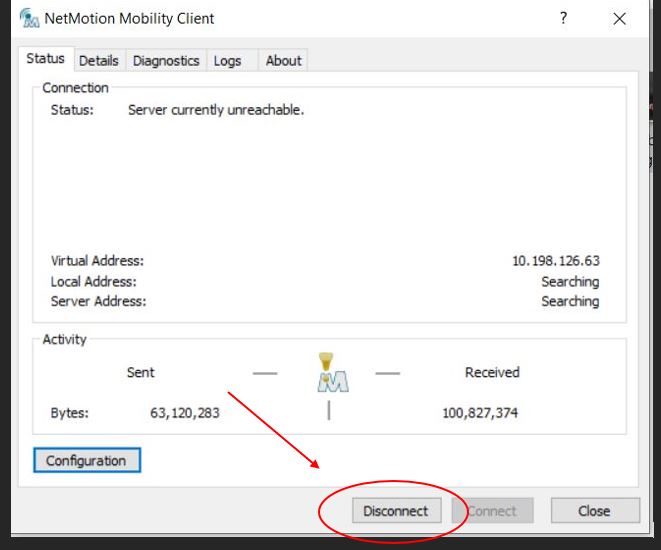
Step 3
Click Connect – (wait 5-10 seconds until fully connected)
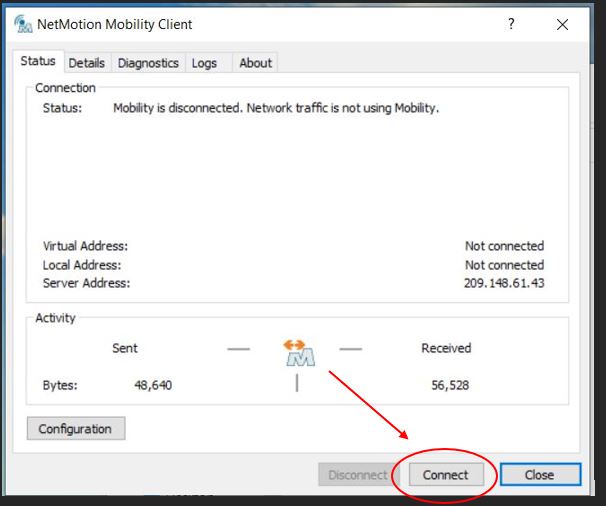
If you need to connect to a different server click on Configuration in the low left.
Then on the General tab under the Mobility server section select the ny9-netmotion1 or mn-netmotion1 server to see if that offers better performance, and click OK.

Connected
Check Taskbar
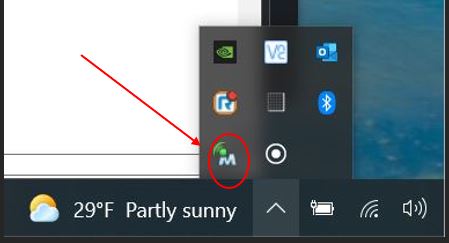
Green = Good Connectivity